The twelve principles of animation
The twelve principles of animation are a list two Disney animators, Frank Thomas and Ollie Johnston, gathered in their 1981 book Disney Animation: The Illusion of Life. For motion graphics five of them do nearly all the work: timing and spacing, slow in and slow out, anticipation, follow through, and staging.
- Lesson 2 of 10
- Beginner
- Free, no signup
The five principles that do most of the work in motion graphics
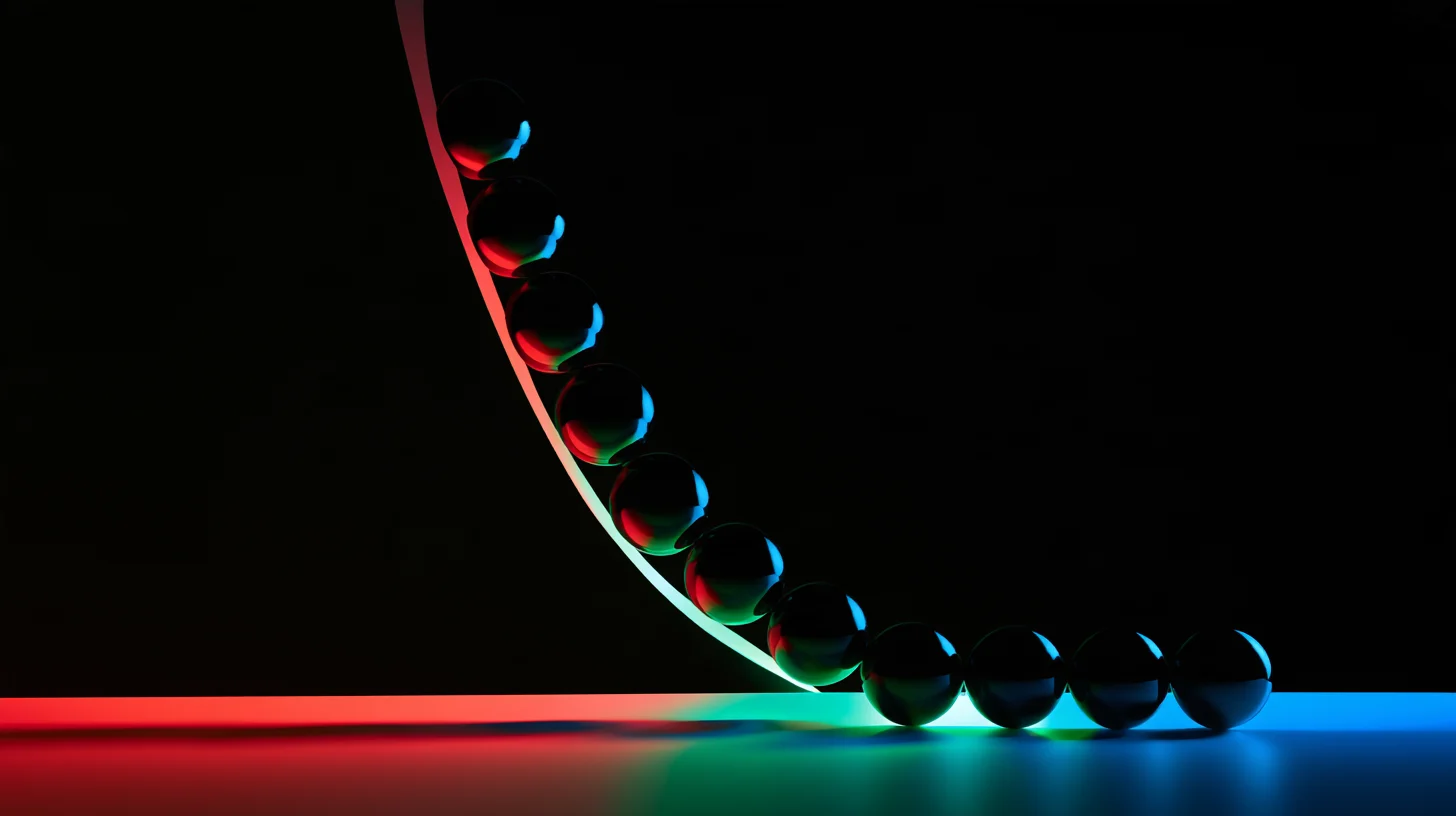
This is the order to learn them in, not an order of importance. The stops are evenly spaced because no schedule is being drawn.
-
Base
Timing and spacing
How many frames it takes, and where the object sits in each. Two different things.
-
Curve
Slow in and slow out
The only principle turned into numbers. Its four values are in the lesson body with the source.
-
Before
Anticipation
A few frames moving the other way, so the eye is ready.
-
After
Follow through and overlap
The parts of a thing do not stop together. The text settles after the card.
-
Gaze
Staging
One thing moves at a time. Movement is the strongest attention tool there is.
These five are selected from the twelve in the 1981 book, and the other seven are listed in the lesson body. The selection is ours; the book draws no such split.
Last checked: Facts and tool names in this lesson are re-checked against their sources on this date.
Where the list came from and why it still holds
The principles of animation come from a book published in 1981: Disney Animation: The Illusion of Life, by Frank Thomas and Ollie Johnston, two of the old Disney animators. That book was written for hand-drawn character animation, meaning for a time when somebody drew every frame and had to make a creature seem alive.
So the first honest statement is this: half of the list is no use to you. The principle saying a character volume should squash and stretch through a jump is meaningless for a bank logo, and in practice it is a tell of beginner work. What remains and still works are the five that are about time rather than about drawing: when a move starts, at what acceleration, what comes before it, what comes after it, and where the viewer eye is meanwhile.
The reason they lasted is not mysterious either. Those five describe how the human eye reads movement, and the human eye has not changed since 1981. The browser showing you this page has turned one of them straight into numbers and written it into a standard, which you will see in the third section of this lesson.
Timing and spacing, the thing to get right first
Timing means how many frames a move takes. Spacing means where the object sits in each of those frames. The two get confused constantly, and the difference is everything: two moves with identical timing and different spacing give two completely different feelings.
A worked example makes it concrete. Say the frame rate is 24 and a shape has to travel from left to right in twelve frames, meaning half a second. If it advances one twelfth of the distance on every frame, the spacing is even and the result is that artificial linear motion. If it covers half the distance in the first four frames and the other half across the remaining eight, those same twelve frames become a move that gathers speed and then settles. The timing did not change, only the spacing did. These numbers are an example rather than a rule; there is no table of correct durations in this lesson, because the right duration depends on the size of the move and on where it plays.
The practical habit: whenever a move looks wrong, look at the spacing before you look at the duration. Beginners usually slow the move down, and that is the wrong fix; a slow move with even spacing is simply a slow artificial move.
Why linear motion looks artificial
Nothing in the physical world starts at a constant speed and stops at a constant speed. The principle that says so is called slow in and slow out in that book, and in software you know it as easing. It is the only one of the twelve that has been turned straight into numbers and written into a standard.
The W3C draft called CSS Easing Functions Level 1 defines the four browser keywords with exact Bezier curves: ease equals cubic-bezier(0.25, 0.1, 0.25, 1), ease-in equals cubic-bezier(0.42, 0, 1, 1), ease-out equals cubic-bezier(0, 0, 0.58, 1) and ease-in-out equals cubic-bezier(0.42, 0, 0.58, 1). Those same four are usable in any motion graphics application, because a Bezier curve is the same thing everywhere. If you have been dragging curve handles by eye, you can now type numbers.
And a practical position that tutorials rarely take: for something entering the frame, ease-out usually reads better than ease-in-out. The reason is that the viewer wants to see where a thing lands, not where it set off from; a move that starts fast and stops softly gives exactly that. The reverse belongs to something leaving the frame.
There are also places where linear motion is correct, and they are not rare: a continuous rotation, a scrolling ticker, a conveyor that never stops, a loading spinner. In all of those the movement has no beginning and no end, so slowing in and out means nothing. The next figure puts the two cases side by side.
Linear and eased motion, each in its own place
Linear: movement with no beginning or end
- A continuous rotation and a loading spinner
- A scrolling ticker and a conveyor
- A background that drifts slowly and never stops
- Easing here makes the movement pulse and become irritating
Eased: movement that goes from somewhere to somewhere
- Any element entering or leaving the frame
- A menu, card or panel opening and closing
- Scaling, moving, changing opacity
- ease-out for entering, ease-in for leaving
Neither is better than the other. The mistake is putting linear motion where something starts and finishes.
The anatomy of one move: anticipation, action, follow through, settle
A good move has three parts, and most beginners build only the middle one. Anticipation is a small move in the opposite direction, right before the main one: a thing about to drop from above first rises slightly for a few frames. Its job is to prepare the eye. Without it the main move feels abrupt and the eye misses its first moment.
Follow through is the same idea at the end: a thing coming to rest does not stop exactly on target, it overshoots slightly and comes back. Its less known half is that the parts of an object do not stop together. If a card with text inside it enters the frame, the text should settle a few frames after the card, not at the same moment. That single small delay does more for a professional feel than any other setting.
On the mrgym exercise pages, which are our own project, this is written into the CSS: a bar chart rises through a keyframe named mgx-grow over nine tenths of a second, and the number that sits above the bar arrives through mgx-rise with a delay of forty two hundredths of a second after the bar itself. The number waits for the bar to nearly finish. That is the follow through principle exactly, written in CSS syntax instead of in an animation application.
And the settle. A move that starts the next thing the instant it arrives does not read. The eye needs a moment of stillness to register what it saw, and that moment has to have room in your timing rather than being left out.
One move, four phases
The second phase is the one everybody builds. The other three are what make the work look professional.
-
1
Anticipation
A few frames the other way. The shortest phase and the first one to get dropped.
-
2
Action
The move itself, with uneven spacing. Most of the frames live here.
-
3
Follow through
A small overshoot past the target and back. This is where the parts separate.
-
4
Settle
Stillness, so the eye can register what it saw. It needs room in your timing.
No suggested durations are given for these phases, because the right duration depends on the size of the move and where it plays, and we do not print a number we do not have.
Staging: why everything should not move at once
Staging means directing the viewer gaze. In character animation it meant posing so the pose still reads as a silhouette. In motion graphics it is simpler and harder: at any given instant only one thing should be the most important thing.
Movement is the strongest attention tool there is, stronger than colour and stronger than size. That is why when five elements enter together, none of them is seen. The practical rule is simple: let one element move at a time and keep the rest still. If several really must enter, stagger them with delays rather than starting them together.
The second point, less often said, is accidental synchronisation. Two repeating movements of the same duration lock together after a few seconds and the eye reads them as one thing. On that same mrgym exercise page, the target muscle pulses on a cycle of one and nine tenths of a second and the supporting muscle on two and four tenths: two close but unequal numbers, so that they never fall into phase. Had both carried the same number, the two muscles would look like one thing and the whole point of the display would be gone.
The remaining seven, and which are no use here
The other seven on the list are these: squash and stretch, straight ahead action against pose to pose, arcs, secondary action, exaggeration, solid drawing, and appeal. Three of them are useful in motion graphics and four are not, and honestly nobody makes that split for you in the tutorials.
The ones that stay: arcs, meaning an object travelling along a slight curve rather than a straight line, which always reads better. Secondary action, meaning small details happening alongside the main move, such as a shadow shifting with a card. And exaggeration, which is dangerous in corporate motion but is exactly the thing that gets social content seen.
The ones that do not: squash and stretch on a logo is nearly always wrong, because a brand mark that stretches is no longer that mark. Solid drawing is about rendering volume in three dimensional space and does not apply to flat graphics. Appeal is about character design, and its equivalent here is that the still frame has to be a good design in the first place, which is the job of design principles rather than of animation. And straight ahead against pose to pose is a production method rather than a look: in a keyframe application you are always working pose to pose, so the choice barely exists.
How to check your own work
None of these principles can be checked by looking at keyframes. They are checked by watching, and watching means at real speed, on the device the piece will play on. A move that only looks right while you drag the playhead back and forth is not right.
Three tests with no taste in them. First, the one pass test: watch it once, then say where your eye was at each moment. Anywhere you cannot say, the staging is broken. Second, the pause test: stop at any instant you like and count how many things are moving; more than one is usually one too many. Third, the muted test: turn the sound off and see whether you still understand what is happening.
And one rule that sits outside the list but matters as much: if the piece plays on a website, it needs a state where the prefers-reduced-motion setting simplifies or stops it. That setting exists for people who are made unwell by heavy movement, and ignoring it means part of your audience closes the page. The web accessibility lesson has the detail.
Before delivery, check these by watching
The right hand column holds the habits that reach a result faster and break the work in the process.
Check these
- Watch once at real speed and say where your eye was at each moment
- Pause at any instant and count how many things are moving
- Mute it and see whether you still understand what is happening
- Whether the parts of each group stop together or apart
- On the device it will actually play on, not only on your monitor
Do not do these
- Judging the motion by dragging the playhead back and forth
- Slowing a move that looks wrong instead of fixing its spacing
- Giving two neighbouring repeating movements the same duration
- Entering several elements together because it is quicker
- Publishing to the web with no prefers-reduced-motion state
This list checks the movement only. Whether the message is right is settled elsewhere, and no checklist answers it.
The fast path, with AI
This is not a how-to lesson, but it has a fast path worth writing down: turning "that movement feels off" into numbers before you open the software. A frontier model can take a plain description of a move plus your frame rate and its length and give back a keyframe table: frame number, value, and the easing curve for each span. What you learn from the exercise is the arithmetic of anticipation and settle, which almost no tutorial writes down, and after a few passes you no longer need it. Our current pick is listed in <a class="text-link" href="/en/ai/">the AI section of this site</a>.
- Fix the frame rate and the total length of one move. Every other number derives from those two, and without them any table you get back is invented.
- Describe the move in one sentence: what, from where, to where, and with what feeling. Do not add a second sentence; a long description makes the output vaguer, not sharper.
- Run the recipe below. The output must be a table rather than prose, and the four phase frame counts must sum exactly to the total length. If they do not, throw the table away and ask again.
- Type the numbers in, play it, and change one number at a time. Changing two things at once destroys the learning, because you will not know which one worked.
- The human pass: watch it once at real speed, on the device it will play on. The model has never seen your composition and does not know how this move reads beside the other elements.
Copy-ready recipe
Role: an animator experienced in motion graphics.
I describe a move and you turn it into a keyframe table. Use only numbers that derive from my inputs and add no others.

Inputs:
- Frame rate: {fps}
- Total length of the move in frames: {frames}
- The move: {description}
- Properties that change: {properties}

Give the output as a table, one row per keyframe:
1. Frame number, counting from zero
2. Property name
3. Value
4. The easing curve to the next keyframe, as cubic-bezier with four numbers
5. Which phase this keyframe belongs to: anticipation, action, follow through or settle

Rules:
- Write all four phases, even if one of them is zero frames long.
- The four phase frame counts must sum exactly to the total length. Print that sum under the table.
- For every property, the first and the last keyframe must both be present.
- Under the table, say in at most three sentences which animation principle sits behind each phase.
- If my input is incomplete, say which number I did not give. Do not guess and do not invent a default.
Before you trust the output: The model has not seen your composition, so the numbers it gives are a starting point rather than a verdict. The size of the anticipation and the amount of overshoot in particular depend on the size of the object and the distance it covers, and the model knows neither. And one thing that is easy to forget: a model will happily hand you four Bezier numbers that are valid and meaningless. The table can be checked arithmetically; whether the movement is right cannot, and you only learn that by watching it at real speed.
AI in this kind of work
Our position here is blunt: a model is good at arithmetic and good at fault finding, and structurally incapable of the one thing this lesson is about, which is watching. You can get a keyframe table from it, you can give it a description of your move and ask which phase is missing, and you can ask it to match your settings against the principles. What you cannot do is ask it whether the movement is any good.
Tools that actually help
- Claude For the keyframe table and for the critic role, because it writes out its reasoning and the reasoning can be refused. Iran is not on Anthropic supported-countries list, so there is no official payment from Iran.
- Gemini The same work, and for reviewing several moves of one project together. Google own page says the Gemini web app works in more than 230 countries and territories, and Iran is not on that list.
- Seedance 2.5 Listed here as a counter-example rather than a tool: the clip it generates has no keyframes, so none of the five principles in this lesson can be applied to it. Good for a background shot, not for learning movement.
- RGB The access and payment layer for Iran, separate from the tools themselves.
Where it backfires
The main risk here does not take the usual shape of AI risk: a model does not answer that it does not know, it hands you four valid Bezier numbers that produce bad motion. The numbers look right because they are mathematically right, and the only way to find out is to watch. The second risk is that any advice a model gives about adding movement, implemented without a prefers-reduced-motion state, builds a page that drives part of your audience off the site; the model does not add that on its own unless you ask. And the third risk belongs elsewhere: if you generate a clip instead of building the movement, you have no curve to correct, and "slightly slower" turns into regenerating, which changes everything else too. The ceilings of those models are recorded in our own video reference.
Sources: W3C: CSS Easing Functions Level 1 Anthropic: supported countries Google: where Gemini apps are available
Where this advice stops
These principles were written for hand-drawn character animation and half of them do not transfer to motion graphics; the sixth section of this lesson says which and why. The second limit matters more: they describe how movement reads, not whether the message is right. A promo with flawless timing that says the wrong thing is still a bad promo. And a third: nowhere in this lesson do we give a suggested duration for a move. Tables saying a given movement should last a given time do exist, but the right duration depends on the size of the move and the distance it covers, and we do not print a number we have not measured ourselves.
From our own work
Two of our own sites made opposite decisions and both were deliberate. The theme of the site you are reading has 57 CSS files, and across all of them there is exactly one animation, a loading spinner, which counts twice because main.css has a minified twin. The count of transition declarations in the whole theme is zero, and there is no keyframe in any of the PHP files. So on the site where we sell motion graphics, the site itself does not move, because we preferred speed to effect. The other side is mrgym.ir, also our project: one file, themes/aihub-child/single-exercise.php, carries six keyframes, nine animation declarations and twenty three transition declarations. And there the principles are visible as numbers: a chart bar rises through cubic-bezier(.16, 1, .3, 1) over nine tenths of a second and its value settles forty two hundredths of a second after the bar, which is follow through; the target muscle pulses on a cycle of one and nine tenths of a second and the supporting muscle on two and four tenths so they never fall into phase, which is staging; and both sit inside a prefers-reduced-motion guard. One motionless site and one full of motion, and neither is an accident.
Real follow-up questions
Do I have to learn all twelve principles?
If you work in character animation, yes, because the list was written for that. If you work in motion graphics, no, and the five in this lesson cover nearly everything. Know the rest so you understand what people mean when they name them, but do not spend your time on squash and stretch for a logo.
Do the same principles apply to animation on a website?
Yes, and even more directly: CSS easing curves are the slow in and slow out principle, and their exact values are written into the W3C standard. There is one important difference and it is not technical: on the web you also have to build the prefers-reduced-motion state, something that does not exist at all in an exported video. The CSS lesson is where writing it starts.
What frame rate should I work at?
The frame rate is decided by where the piece plays, not by these principles; the principles work at any rate because they are about the proportions between frames rather than their number. What is worth saying is that a higher rate is not always better: one of our own files on mrgym is a silent sixteen and a half second loop stored at 59.94 frames per second and weighing 1,980,182 bytes, and for demonstrating one exercise movement that rate is more than the job needs.