
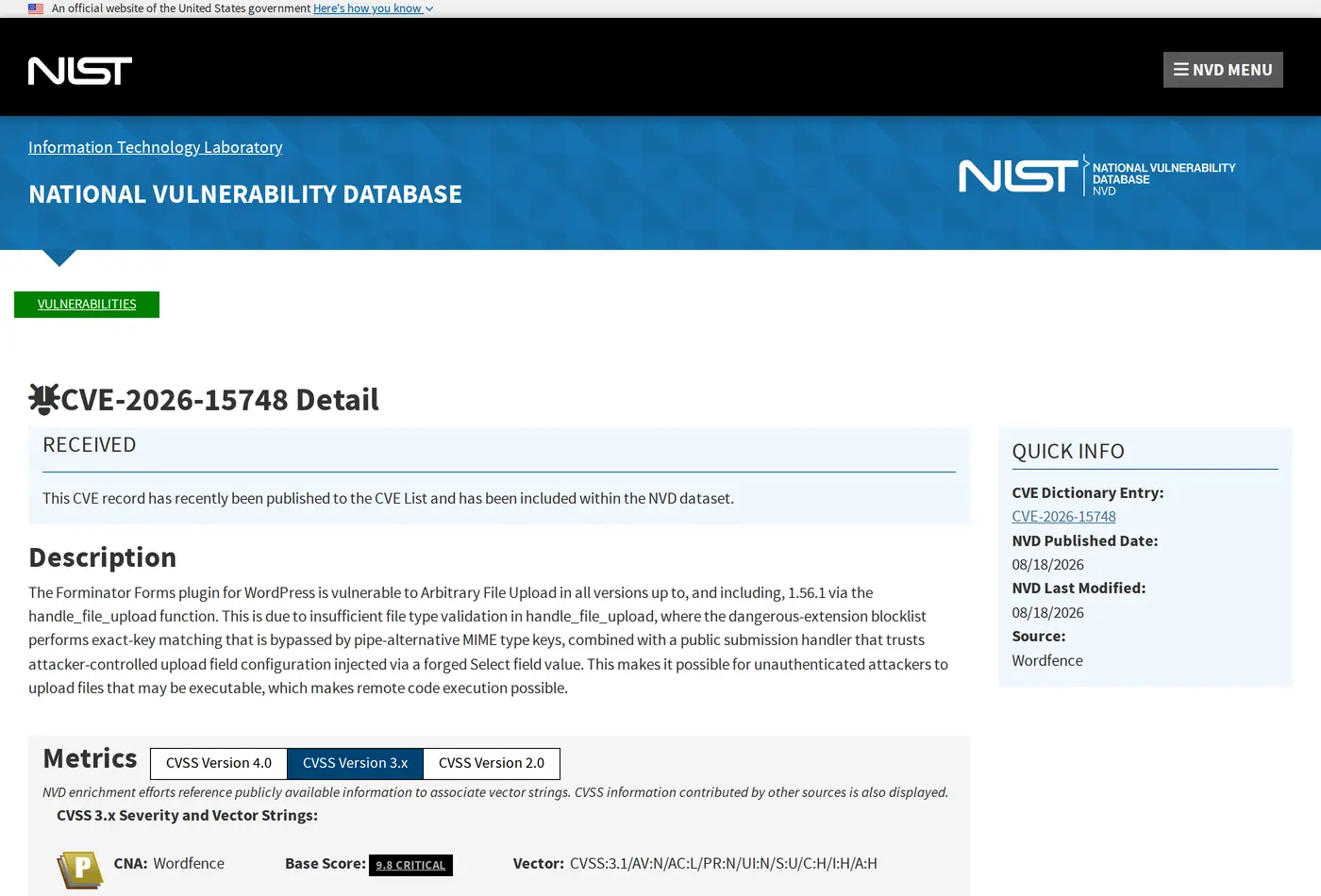
On 18 August 2026, CVE-2026-15748 was published: a WordPress form plugin, in every version up to and including 1.56.1, let anybody with no account at all upload a file to the server through the public contact form. Severity is recorded at 9.8 out of 10 and the record states it makes remote code execution possible. The next number matters more: between 25 June and 18 August, eight separate vulnerability records were published for that one plugin. Eight in eight weeks.
Good news for Iranian sites, and bad news
The good news: we fingerprinted the form plugin on 326 ranking Persian WordPress pages and this one appeared on none of them. The local market runs something else.
| Form plugin | Pages |
|---|---|
| Contact Form 7 | 52 |
| Gravity Forms | 45 |
| Elementor's own form | 42 |
| WPForms | 9 |
| Ninja Forms and Fluent Forms | 2 |
The bad news: the class of problem has nothing to do with which plugin you picked. Every public form on your site is an entry point where anyone, with no account, hands you data. If that form also accepts uploads, you are letting strangers write to your server's disk and trusting the plugin's validation to decide what is allowed.
The 9.8 is not the part that should worry you
In the same list of eight there is a lower-scoring record that matters more to a business owner. That one let somebody change a number in a URL and read other people's partially completed form entries: names, email addresses, phone numbers, addresses and message text.
Its technical score is 5.3, because you do not lose the server. What you lose is your list of sales leads. For an agency or a shop that is worse than the server going down, because a server comes back from a backup and customer data does not.
Three things worth doing today
First, if your contact form has file upload switched on and you do not genuinely need it, turn it off. Most service-business contact forms ship with that option enabled and never use it once in a year.
Second, find out where your form stores what people send. Most form plugins keep a copy of every submission in the database even when they also email it. That means your site holds a store of personal data you have never once looked at. If you do not need the store, turn off saving or delete the old records.
Third, switch on automatic plugin updates. In this case a patched version was available the day after publication, and the gap between details going public and your site updating is exactly the window an attacker is looking for.
A check we ran on ourselves
The same list contained a record for a Cloudflare Turnstile captcha plugin. We run Turnstile on this site, so we went and looked at whether it was that plugin. It was not; our Turnstile arrives through a different route and that plugin is not installed here at all.
It took two minutes, and it is the habit we would recommend. When you read news about a plugin, search your own dashboard first to find out whether you have it. Do not assume you do and do not assume you do not.
Forms and leads, from someone who sells websites
The contact form is the only place where a visitor becomes a customer, and it is usually treated as the least important part of the project. Three things about it have to be right and none of them are security: it has to arrive at an inbox somebody reads, it has to confirm receipt to the sender, and it has to carry the smallest possible number of fields.
On the sites we build the form is part of the handover test, one of the steps in how a build actually runs, and we send a real submission through it, because a form whose email lands in spam is exactly the same as no form. If you are also running campaigns, the marketing work we do starts at that point rather than at the advert.
Questions that come with this search
Which form plugin is best?
In our sample Contact Form 7 was the most used and Gravity Forms second. Do not choose on features. Choose on how quickly it ships updates and whether it keeps submissions in your database.
Is there a good free one?
If you want the form on your own site, the free version of Contact Form 7 is enough. Hosted services exist, but then customer data sits on somebody else's server, and that is a decision rather than a detail.
How many fields should a form have?
Remove every field that is not needed for a first conversation. A name and one way to reach them is enough; the rest gets asked in the conversation. Keep an upload field only when you genuinely want files.
How risky is file upload on a form?
Manageable when it is configured correctly, but this record shows that "configured correctly" depends on the plugin's code rather than on you. If you do not need it, turn it off. That is the one control that is entirely yours. The rest belongs in the security service we run.
Form plugins fingerprinted across 326 ranking Persian WordPress pages on 19 August 2026. External source: the CVE-2026-15748 record in the National Vulnerability Database.



Comments & Questions
Have a question about this article? Ask, we'll answer.
No comments yet; be the first.